See the whole setup
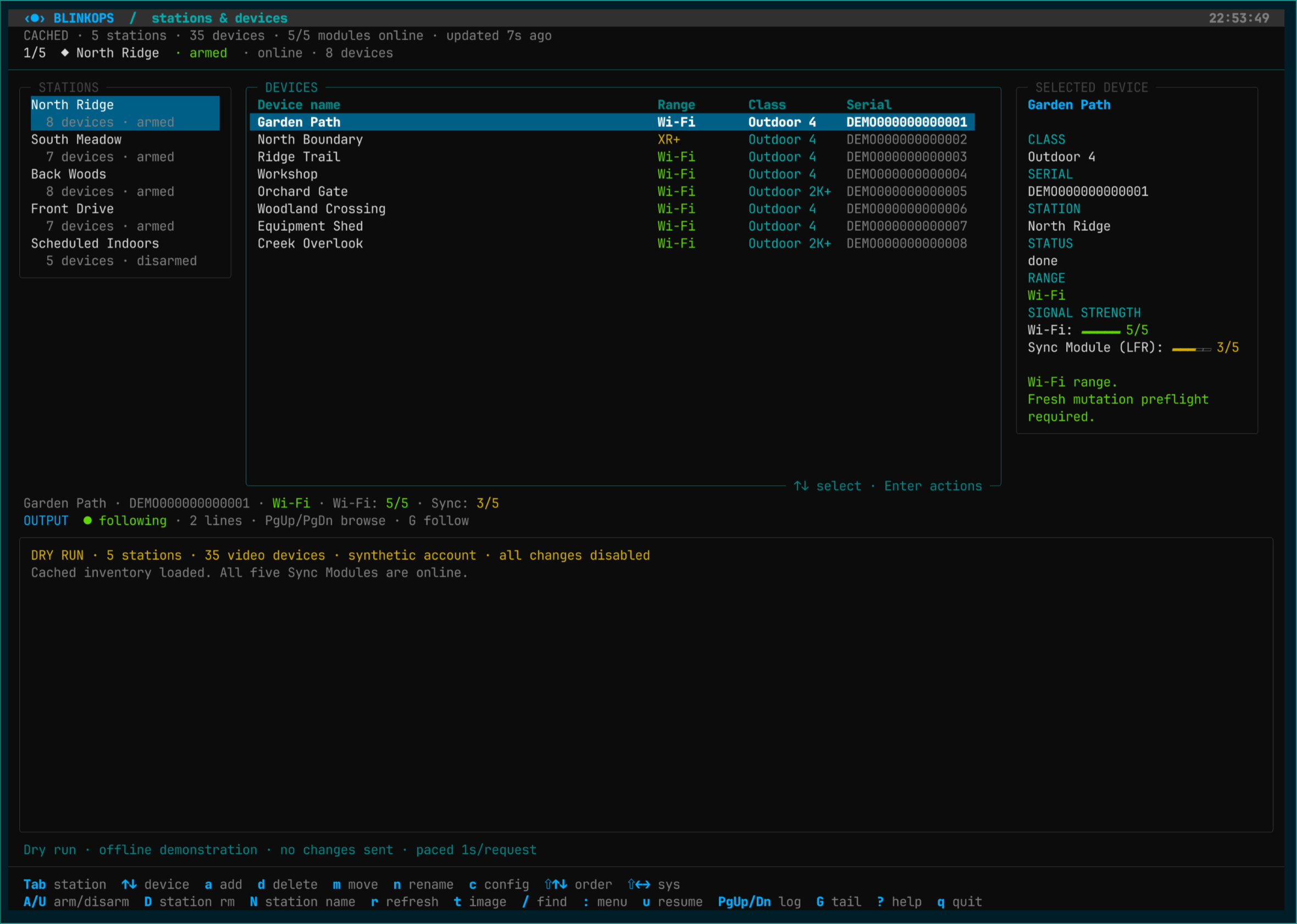
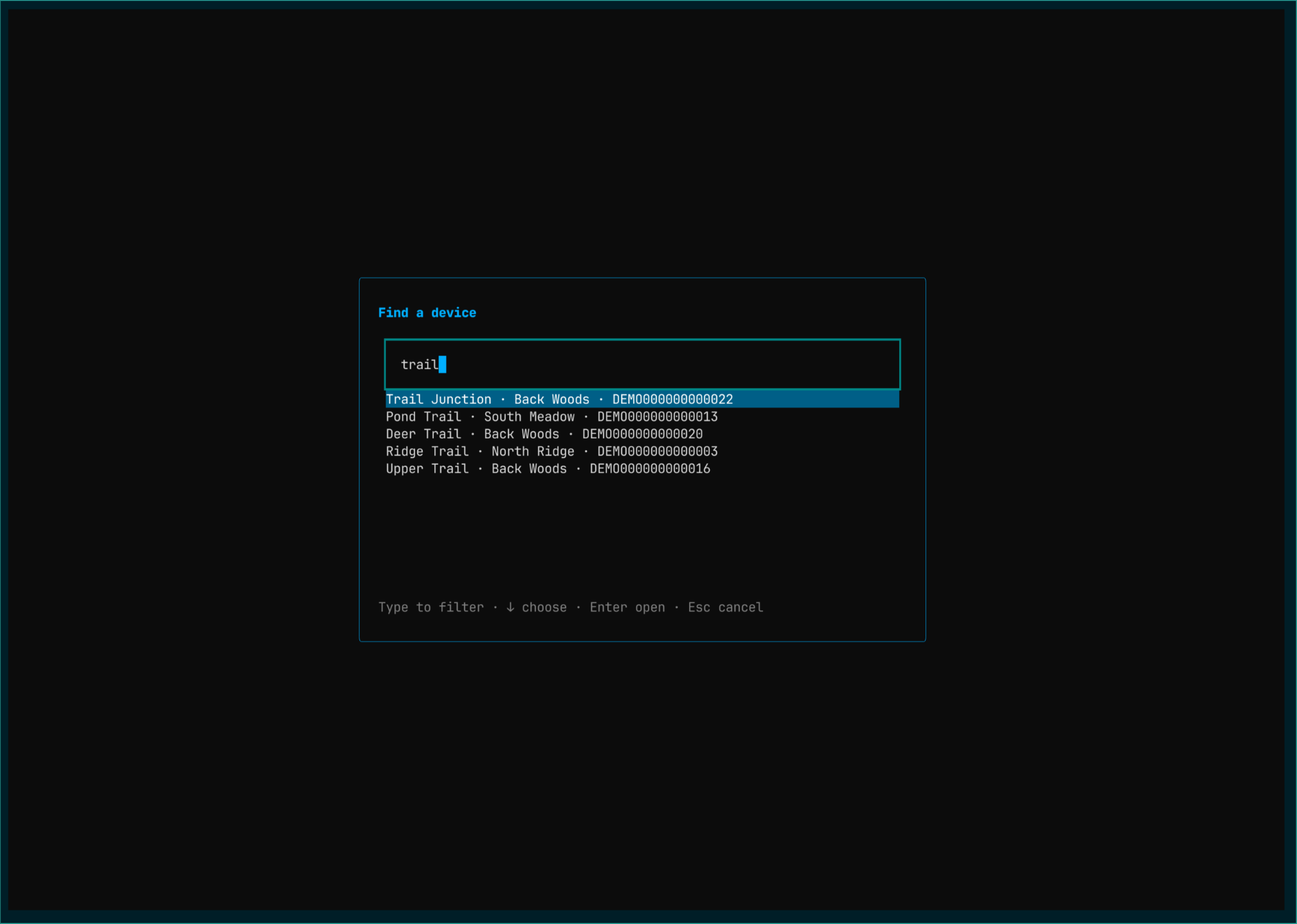
Browse live or cached inventory with names, serials, connection modes, and signal levels. Search across systems, including devices without a Sync Module.
❯ Python / CLI / Textual
Blink camera management from the terminal.
Python tools for inspecting Blink cameras, managing settings with configuration templates and bulk operations, and moving devices between Sync Modules, built from observed app workflows.
❯ Current capabilities
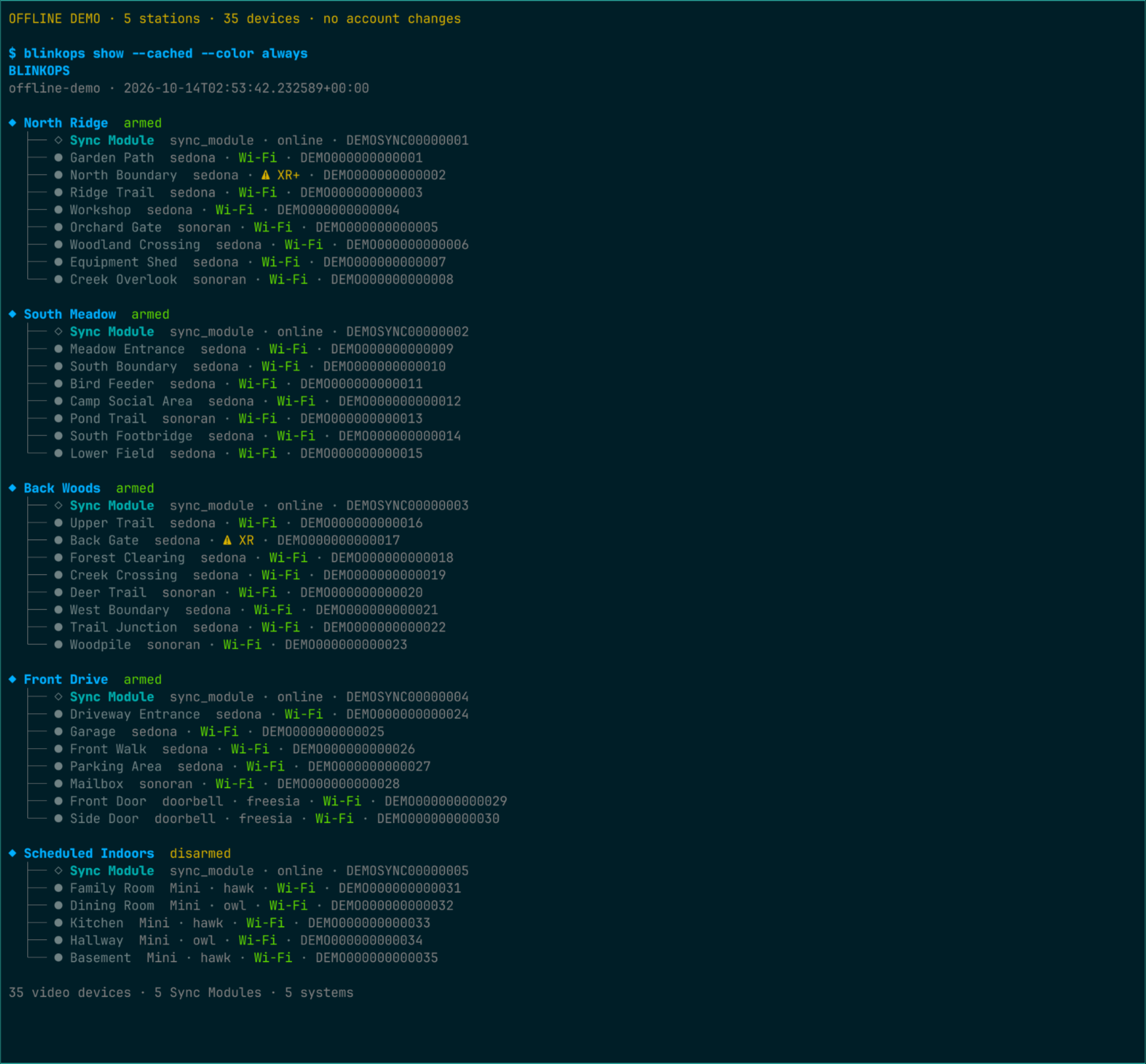
Browse live or cached inventory with names, serials, connection modes, and signal levels. Search across systems, including devices without a Sync Module.
Add Outdoor 4 cameras, rename supported devices or systems, arm or disarm systems, reorder lists, and capture thumbnails. Remove eligible cameras or empty systems.
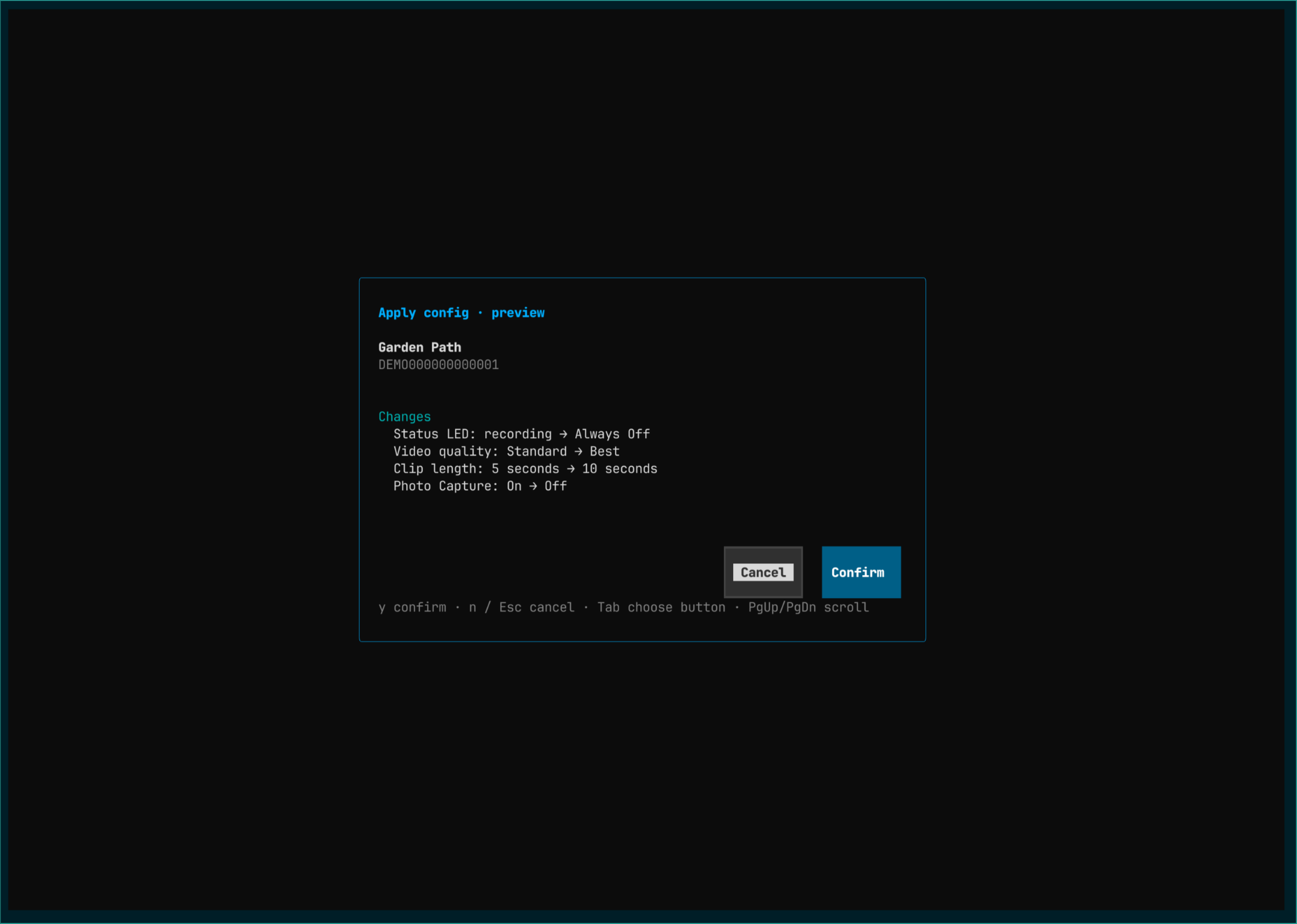
Apply model-specific templates to Outdoor 4, Outdoor 2K+, Mini, Mini 2, and doorbells, individually or station-wide. Batches process one device at a time, preserving names and unlisted captured settings.
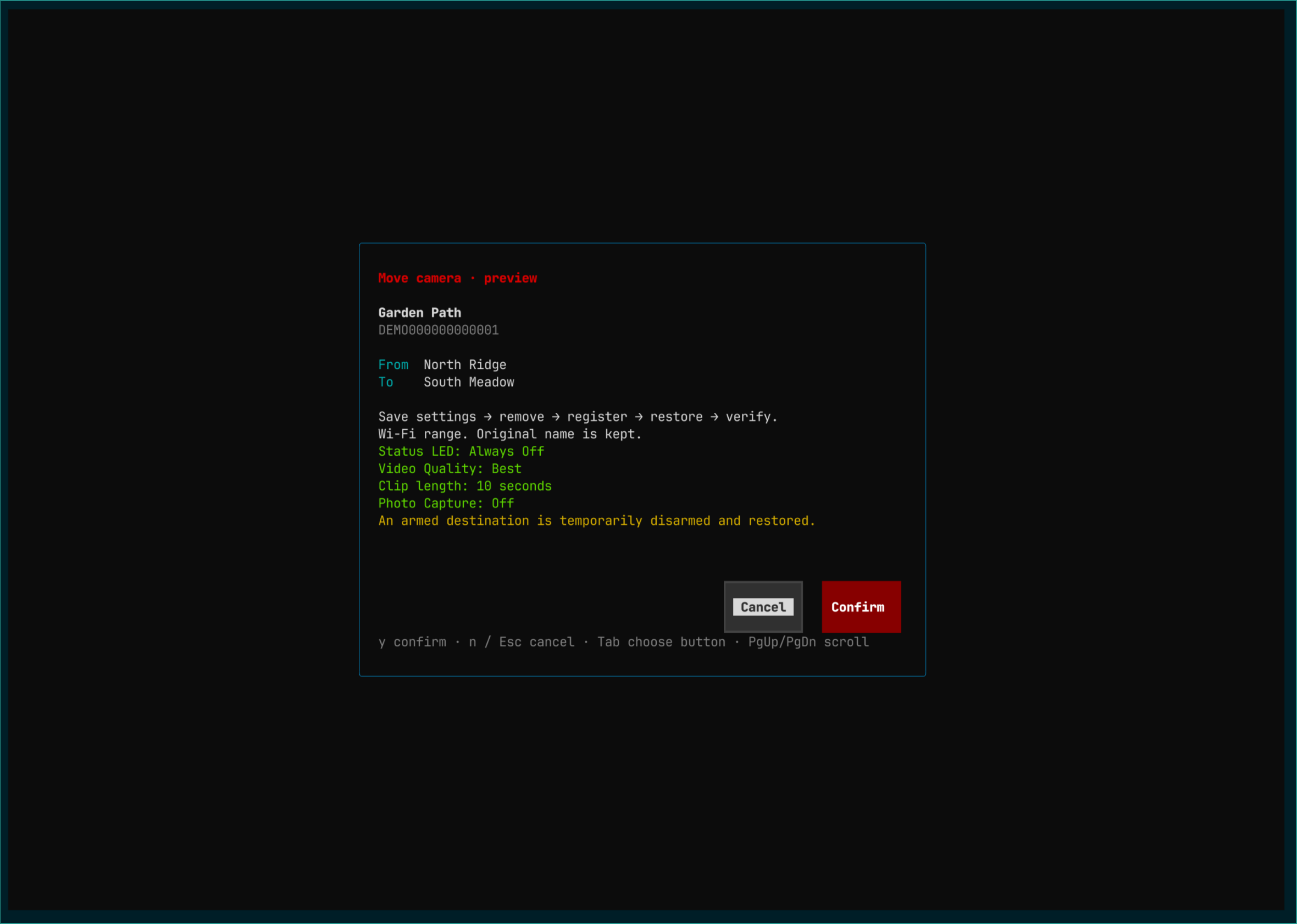
Transfer eligible Wi-Fi Outdoor 4 and Outdoor 2K+ cameras between Sync Modules: save settings, remove the camera, re-register its serial, restore supported settings, and verify names and armed states. Mini moves use the Blink app for setup.
Inspect Wi-Fi, XR, and XR+ availability and preview changes, with fresh identity and transport checks.
Jobs save settings, intent, and completed steps, then reconcile server state on resume without repeating completed actions. Shared rate limiting paces requests across interfaces and processes.
❯ Two ways to work
Run blinkops for a Textual station and device browser, details, and scrollable output. Keyboard navigation and fuzzy search remain available while operations run.
Layouts adapt to terminal width; saved inventory opens in a read-only view.
# Open the terminal interface
blinkopsThe same client powers colored inventory trees, JSON output, and dry-run previews. Direct sign-in and automatic token refresh work independently of the emulator.
# Inspect live or cached inventory
blinkops show
blinkops show --cached
blinkops show --json

# Review settings before applying them
blinkops apply-config "Camera Name" --dry-run
❯ Inside the terminal
TUI screens and CLI output. Select any image to enlarge it.
❯ Development notes / October 2026
Android app inspection, emulator observations, and HTTP metadata traces inform the client's operations, preflight checks, and recovery paths.
A suite of 529 unit tests covers inventory, authentication, settings, transfers, interrupted jobs, and TUI interactions using local fixtures, avoiding repeated live requests during development.
Controlled live checks confirmed Outdoor 4 registration and a Wi-Fi transfer without a reset or power cycle. Readbacks verified restored settings and intended armed states. Extended-range recovery is still unverified; doorbell moves remain unsupported.